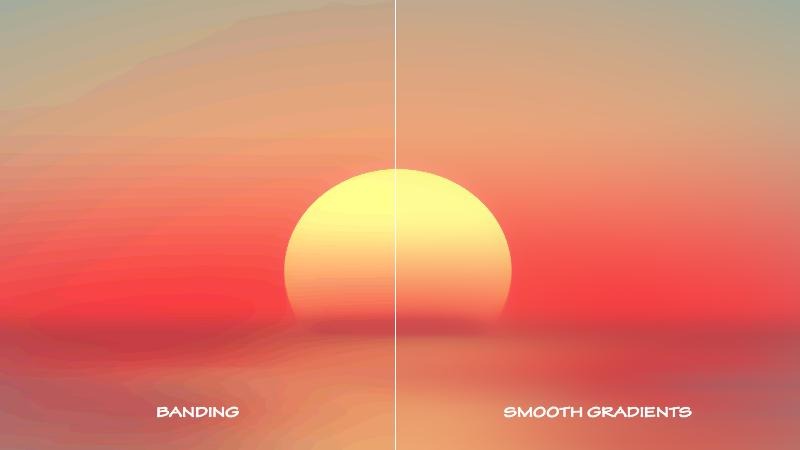
Understanding Video Bit Depth: 8-Bit vs 10-Bit vs 12-Bit (A Filmmaker’s Guide)
Do you know what bit depth is? Neither do I…well, not so true, I know what it is, but why it is? Hell, if I know! If you’ve ever heard someone say “shoot in 10-bit if you can” or “8-bit will fall apart in grading,” they’re talking about digital video bit depth—one of the most important (and often misunderstood) aspects of digital video and what is going to make or break that 4K Video you so desperately are looking for. And if you ever wondered why you have those lines in your TV or monitor as the colour changes, you know, that ‘cheap’ look (because it is), that’s a result of Bit Depth, on the low end.
Let’s break it down in a practical, filmmaker-friendly way so you can make smarter decisions on set and in post.
Whats the difference between 8-Bit and 10-Bit video.
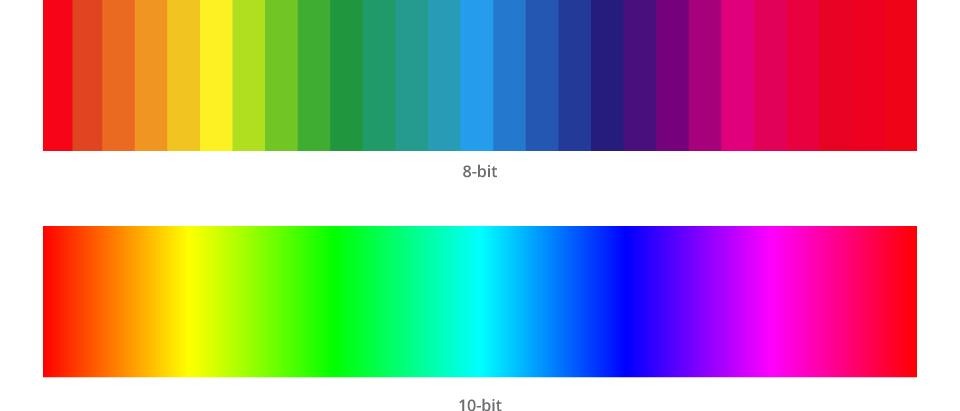
8 Bit and 10 Bit refer to how many individual colours your camera can see. And this matters because the more colours your camera can see, the easier it is to colour grade and the better your image will look.
Most starter and phone cameras shoot 8-Bit video. This is due to optimising storage space and the smaller resources your phone has to process a video. Some professional cameras and the new high end iPhones can shoot 10-Bit video. These videos often take up more storage space, especially if you are shooting at a higher frame rate, and the hardware is more advanced to be able to process the video at in a higher quality. But some higher end cinema cameras can shoot up to 12-Bit video and even 16 Bit video, but be prepared to spend well around and over $10 000.00 to $20 000.00 to purchase these baddies. A rental may be your best option if you opt out for these work horses.
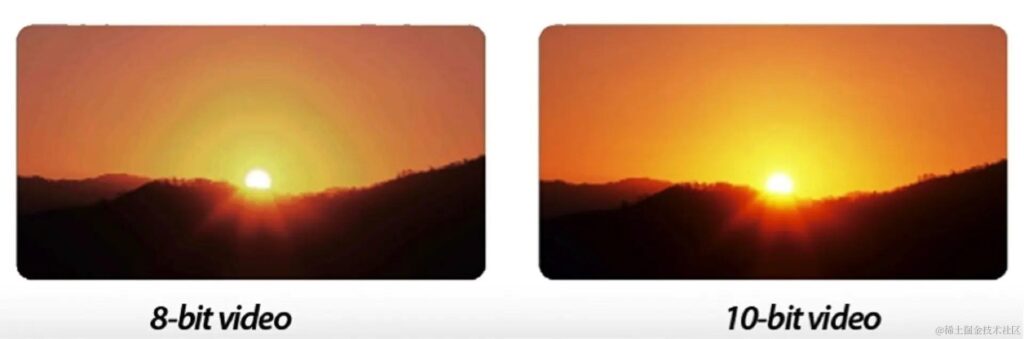
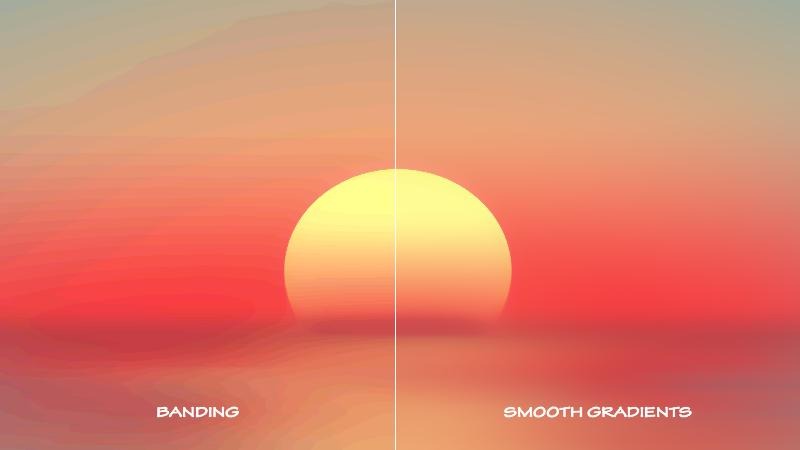
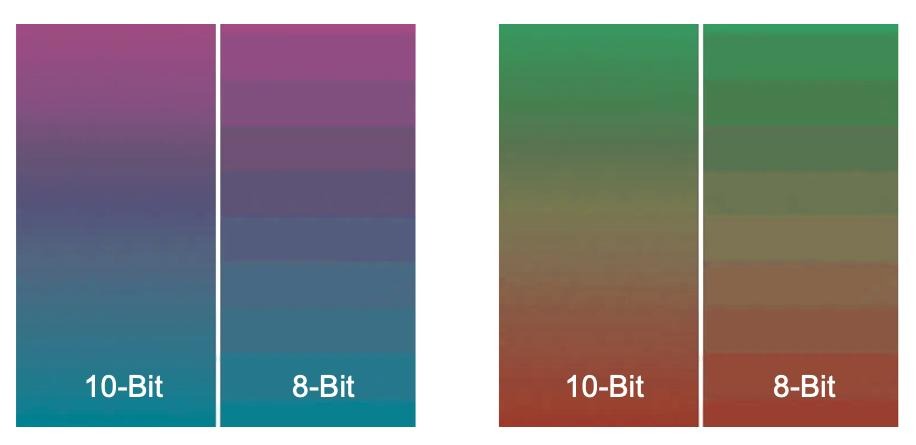
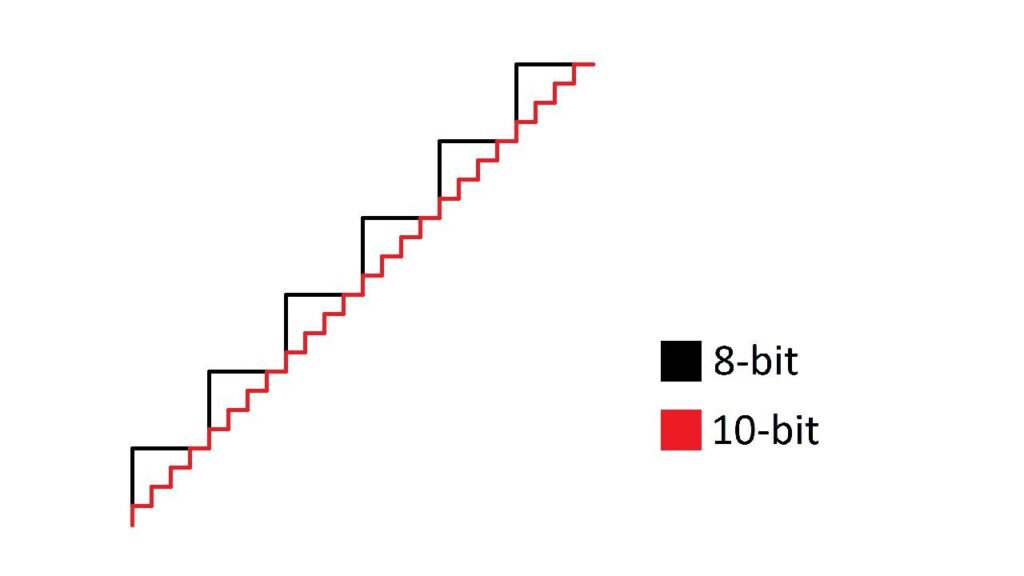
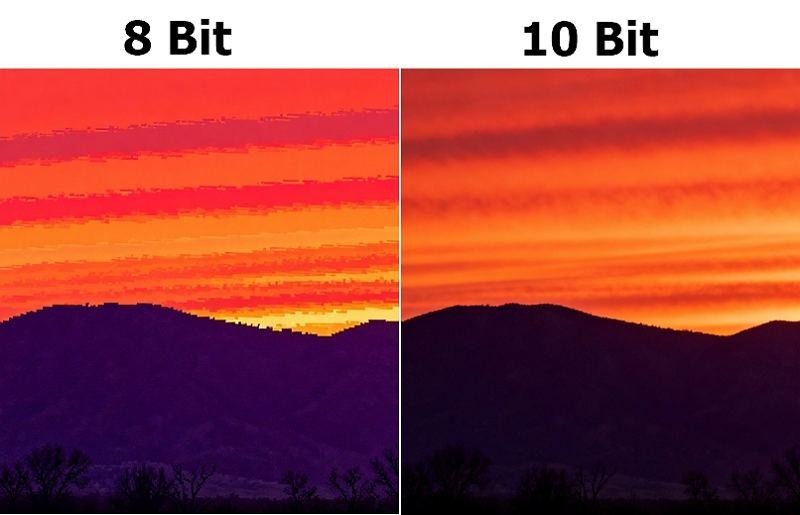
You can see the difference between 8-Bit and 10-Bit footage when it comes to gradients in your shot or when you shoot scene where there are gradual colour changes in the scene. For scenes such as sunsets, sky shots, lights in the night, you’ll notice that with 8-Bit you’ll get this phenomenon called banding in your footage and this is because there are not enough colours for your camera to smoothly transition from one colour to the next and it has to clump them together. But, because 10-Bit has more colours to offer, you get a smoother and more natural looking transition. You’ll also get more details in the shadows and your scene will look less like a 90’s computer image.
Let’s go into some further details, but only for 8, 10, and 12 bit Video imaging.
What Is Bit Depth?
Bit depth refers to how many color values each pixel can display per colour channel (Red, Green, Blue, commonly referred to as RGB). Easy, right, 🙁.
Think of it like this:
- Bit depth = how finely and smoothly a camera can record color and brightness
- More bits = more color information = smoother gradients (none of those lines as shades of colour changes (called banding)) and more flexibility in post
Each increase in bit depth exponentially increases the number of possible tones of colour.
The Numbers (Why Bit Depth Matters)
Here’s how Bit Depth scales out. You probably have heard of them, but may not have known their impact or relevance:
| Bit Depth | Colors per RBG Channel | Total Colors |
| 8-bit | 256 | ~16.7 million |
| 10-bit | 1,024 | ~1.07 billion |
| 12-bit | 4,096 | ~68.7 billion |
More simply put…
With 8-Bit video, your camera can see 16.7 million different colours.
With 10-Bit video, your camera can see over 10 billion different colours
With 12-Bit video, your camera can see over 68 billion different colours
With 16-Bit video, your camera can see over 281 billion different colours
That’s not a small jump—it’s massive, and who knew there were SO MANY BLOODY COLOURS! Like breaking a rock down into dust, the spectrum of colours expands the deeper the dive you take in them.
8-Bit Video (Standard, But Limited)
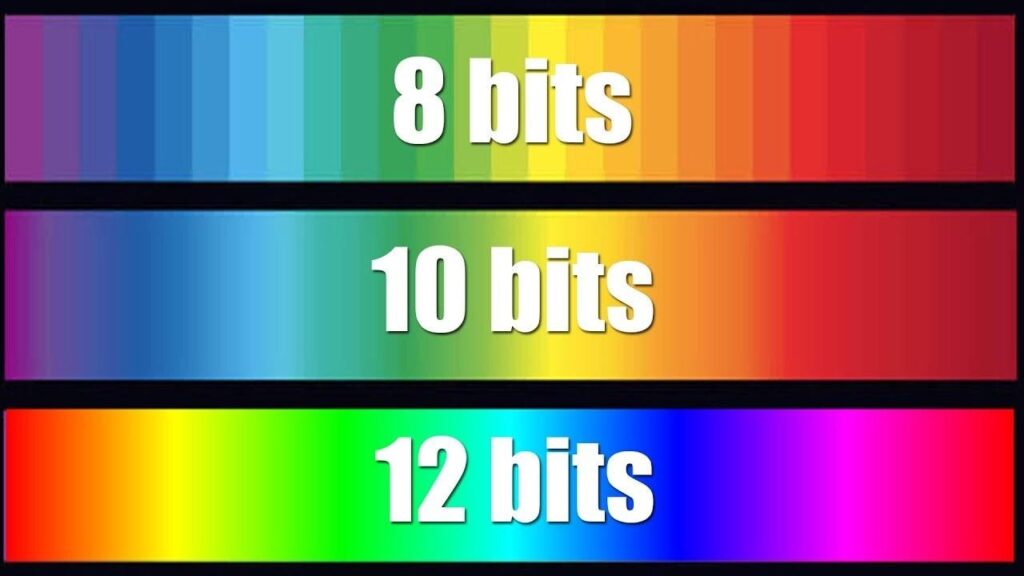
8 Bit Video may be typically a standard to go to when video quality is not the most important sought after. As shown below, 8 bit doesn’t exactly give the display quality we look for in a professional video. Colours look separated, its distracting from a visual appeal, and it just basically looks like shit. It can be worked with and worked around in post but it does take a lot of effort and time to get the grading juuuuuuuust right to avoid that banding we don’t want visible. One advantage of 8-Bit Video, is that it doesn’t take up a lot of storage space and resources to display.
Below is some examples and comparisons of 8 Bit Video Depths
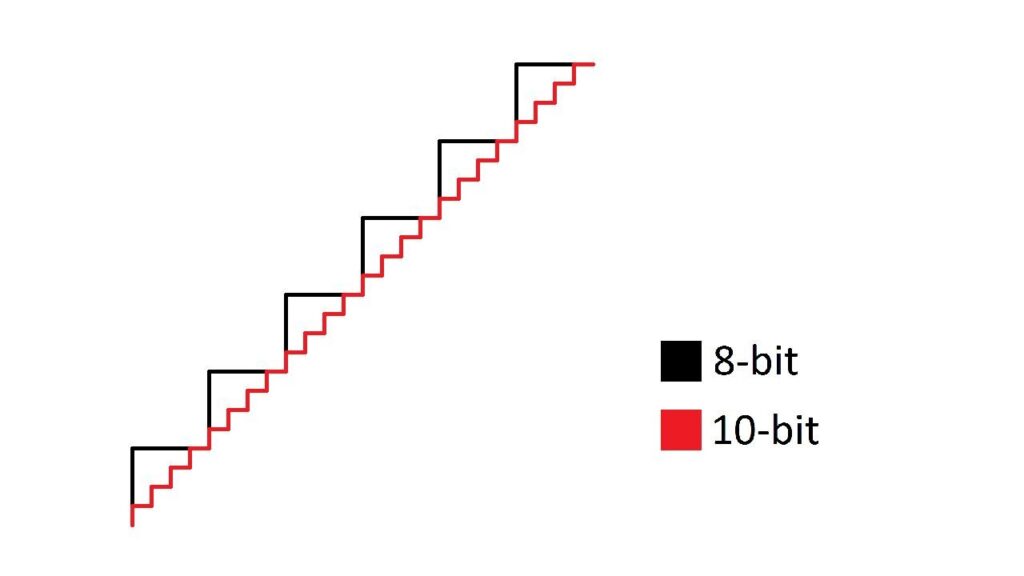

So, here’s the breakdown on 8 Bit Depth Video
What it is:
8-bit video records 256 shades per color channel.
Where you see it:
- Most consumer cameras
- Smartphones (older or default modes)
- Standard web video (YouTube SDR delivery)
Pros:
- Smaller file sizes
- Easier to edit on most systems
- Widely compatible
Cons:
- Banding in skies and gradients
- Breaks down quickly under heavy color grading
- Limited dynamic range flexibility
Best use case:
Run-and-gun shooting, social media, or projects with minimal grading.
I hope this gives a bit more clarity on what it is. As to why, my only guess is offering a variety and giving options. With this option, things are easier to use, and as well capitalism most likely, lol.
10-Bit Video (The Professional Sweet Spot)
10 Bit Video depth. The more professional use of things, but also requires some work to get the full potential of it, but gives a more professional and better look of your finished product. Is it the best, no. But it is certainly functional and offers a look and aesthetic that only other professional graders may be able to spot, but most likely not your general audience. They’re there for the story and world immersion of your film for the most part. It’s not like you are going to have someone stand up during your premier and scream out in the cinema, HEY, THAT’S A 10 BIT VIDEO DEPTH RECORDING! WHAT IS THIS PIECE OF SHIT! If they can tell, then they have the vision of an eagle and they’re an asshole!
10 Bit Video Depth is a good go to for indie filmmakers and people working on a modest budget who want to get that short film out and showcase their talent. They are popular, on semi affordable cameras…I say semi because you are going to pay around $1000.00 to $3000.00 or better for a camera that can process 10 Bit Video. The results in the end, however, will be a more aesthetically pleasing and looking film with smooth gradients and less of a muddy image that can be distracting and look unprofessional.
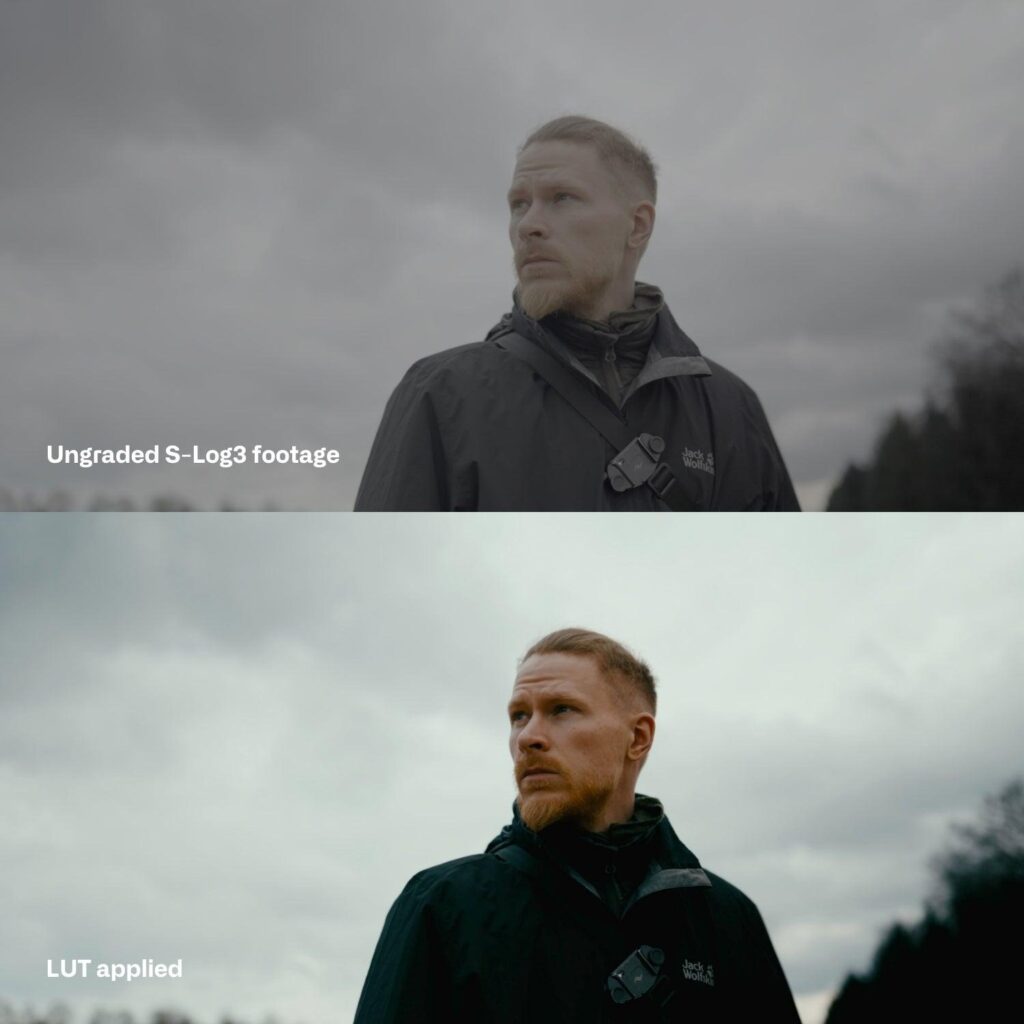
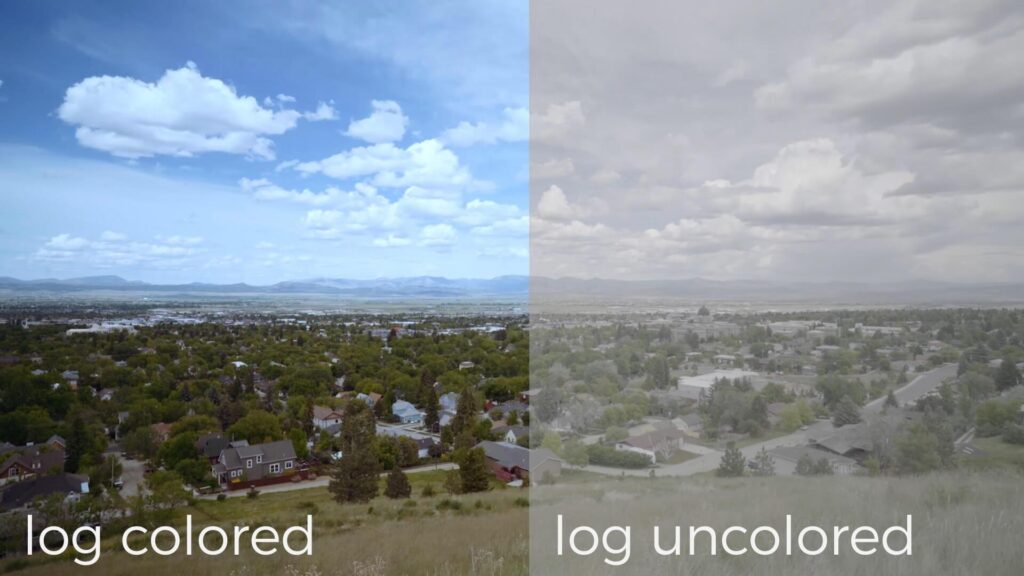
Another advantage with 10 Bit Video is that you are provided with a wider spectrum of colour and contrasts to work from due to 10 Bit being capable of recording in a Log format. Preserved more for Colour Gradists, recording in a Log format is a video technique that maximizes a camera’s colour dynamic range by recording a “flat,” desaturated image with minimal in-camera contrast or color processing. This helps preserve maximum detail in both bright highlights and dark shadows, allowing for extensive color correction and grading in post-production to achieve a cinematic, high-dynamic-range look. You know, to get that movie look we are all striving for.
Below is some further information and comparisons of 10 Bit Video Depths…
What it is:
10-bit captures 1,024 shades per channel—4× more than 8-bit.
Where you see it:
- Mirrorless and cinema cameras (e.g., Sony, Canon, Panasonic)
- Log formats (S-Log, C-Log, V-Log)
- HDR workflows
Pros:
- Much smoother gradients (no banding)
- Holds up in color grading
- Better for skin tones and subtle color transitions
- Essential for log shooting
Cons:
- Larger file sizes
- Requires more powerful editing systems
Best use case:
Commercial work, documentaries, branded content, narrative film—anything you plan to grade.
12-Bit Video (High-End & Cinema Workflows)
So you’ve made it to the big times, eh. Got your ARRI Alexa or Red camera and you’re ready to film the shit out of whatever comes through your lens and plaster it up onto a cinema screen. Then, you’ve got the right idea with 12 Bit Video Depth. Except…you don’t really need those cameras to achieve it, but you do need certain tools that can. Still, it may cost you up to $5000.00 to $6000.00 and over to just be able to shoot in 12 Bit. Once you add up the full frame camera, lenses, visual assist, high speed SD cards, you’ve already spent around $5000.00. Some medium end cameras can shoot in 6K, 12 Bit video, but they just may not be able to process and store it, hence, the need for equipment that can do that (the visual assist), an external monitor separate from the camera.
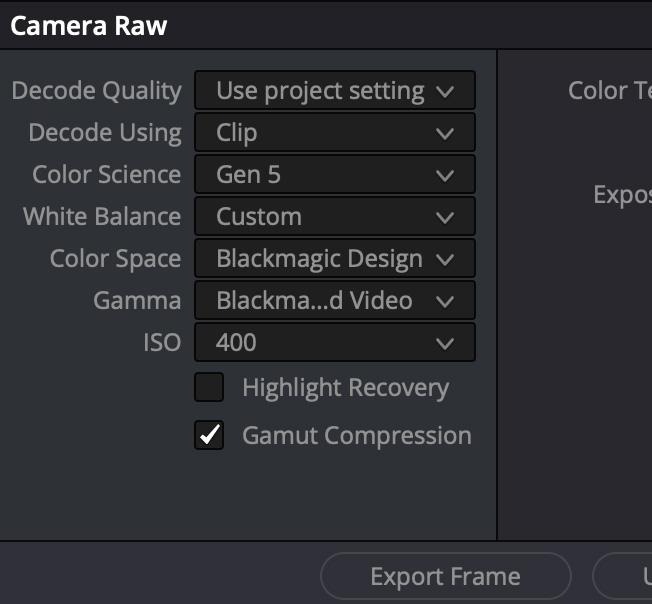
12-bit video recording captures over a whopping 68 billion colors (4,096 values per RGB channel), offering significantly higher color depth and dynamic range flexibility compared to 10-bit (1 billion colors) or 8-bit (16.7 million colors). This is the format that notifies you that your TV is viewing in HDR, or at least used. This format is ideal for a wide spectrum of option inf post production. It allows you to do heavy color grading, reducing banding and noise in shadows. !2 Bit video recording is typically found in high-end cinema cameras and some top-tier mirrorless models, often utilizing codecs like BM RAW or Apple ProRes RAW. [1, 2, 3, 4, 5]. This format, literally, is…the…shit! For instance, unlike Log formats, with RAW, you are most likely capable of recovering highlights that are overexposed and blown out.
Be prepared to have the resources and hardware to be able to process this effectively. Just because it gives minimum specs to use, upgrade that by another factor. Min specs only tell you that it will operate…not function. Dealing with lag, jitter, and a massive slow down of your system is not being functional, it’s a bloody nuisance. So unless you want your rendering to take days, go high end, get an Apple, and pay at least 3000.00. Remember, this is only for a 12 Bit video recording. Your general audience, again, will probably not notice a difference between this and a 10 Bit video recording. So don’t get frustrated, this here is the format major production houses support or indie producers with money to spend.
12 Bit video recording features…
- Color Capability: As detailed by Datavideo, 12-bit allows for 4,096 shades per color channel, resulting in a total of 68.7 billion colors, far exceeding 10-bit capabilities. [1, 2]
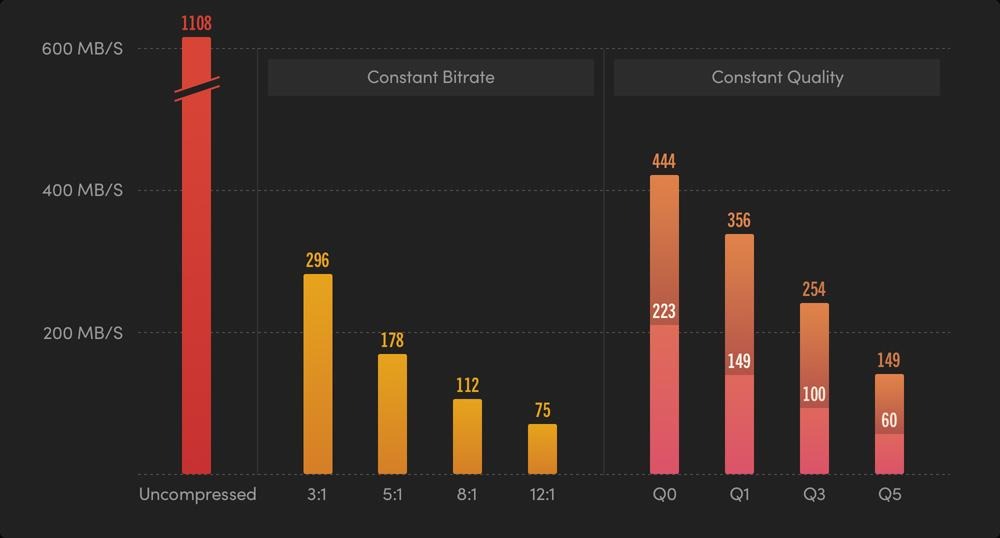
- Workflow & Storage: 12-bit files (e.g., ProRes RAW) are significantly larger than 10-bit 4:2:2 or compressed formats, requiring faster and larger storage solutions. [1, 2]
- Post-Production Flexibility: It offers superior capability to adjust white balance, ISO, and exposure in post-production, particularly in high-dynamic-range scenes. [1]
- Cameras & Setup: Commonly used in high-end production, 12-bit recording can be achieved on devices like the Nikon Z8/Z9 (N-Raw) or through external recorders like the Atomos Ninja V connected to cameras such as the Canon R6 Mark II. [1, 2]
12-Bit vs. 10-Bit:
While 10-bit is generally sufficient for most applications, 12-bit provides superior data for challenging lighting scenarios and extreme color grading. [1, 2]
Disadvantages:
- Data Rates: Massive file sizes require high-speed media (e.g., CFexpress cards).
- Processing: Demands a powerful computer for editing and playback.
- Cost: The cameras and accessories (external recorders, large SSDs) are typically more expensive. [1, 2, 3, 4, 5]
What it is:
12-bit records 4,096 shades per channel—giving enormous color precision.
Where you see it:
- RAW formats (CinemaDNG, ProRes RAW, BRAW)
- High-end cinema cameras (ARRI, RED, Blackmagic)
Pros:
- Massive color grading latitude
- Extreme dynamic range control
- Ideal for VFX, compositing, and heavy post work
- Near film-level color fidelity
Cons:
- Very large file sizes
- Demands advanced workflows and storage
- Requires skilled color grading to fully utilize
Best use case:
Feature films, high-end commercial work, VFX-heavy projects, cinematic storytelling